
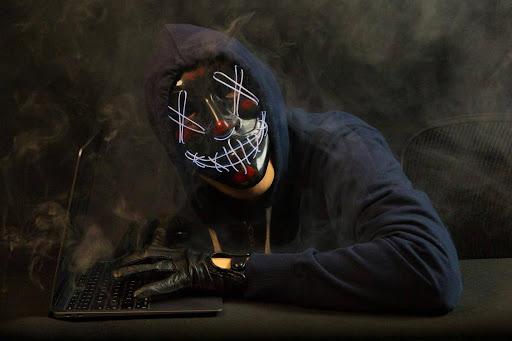
Personal information is valuable. This has always been the case, but it is even more important nowadays, when the private credentials of billions of people are online. A huge number of individuals have online accounts for shopping apps and social media, and most carry out transactions over the internet as well as manage their bank accounts from apps on their phones. It’s not just adults spending time online, though; children and teenagers are present on many platforms as well. The number and frequency of scams and hacker attacks have been increasing over the years, with individuals, businesses, and organisations of all sizes targeted.
The operations have become increasingly sophisticated as well, to the point that it is increasingly difficult to figure out if something is a malware attempt. Unfortunately, many potential victims realise what happened only too late. While data breaches don’t cause any physical harm, the financial damage and the emotional scars can be very serious, and their effects could last for years. While it is impossible to predict when or how an attack will happen, there are definitely ways to keep your data safe and secure, as well as to minimise the likelihood of becoming the victim of an attack.
Strong passwords
Passwords are the first line of defence when it comes to the safety of your devices. Most people have several online accounts they need to manage nowadays, which means that they often end up reusing the same password several times, or at least having very similar passwords. If this is your situation as well, you should know that you’re inadvertently putting your computer or smartphone in danger. If you find it difficult to keep up with a lot of very different passwords, consider getting a storage device that will allow you to keep track of them.
Coming up with new codes every time can be a little challenging as well, which is where you could use the assistance of a password generator 12 characters. You must have both uppercase and lowercase letters, numbers, and symbols, and the passwords should be as random as possible. Any good generator should allow you to customise your passwords so that they fit the particular requirements of every single website you use. 12 characters is the baseline from where you can start, but having 15 or even 20 characters could be even more helpful. The symbols and letters should form an unpredictable string of characters that’s impossible to guess.
Having different passwords is crucial, as in the case that one of the websites you have an account on gets hacked, cybercriminals will definitely attempt to use the same passwords to access other accounts as well.
Wi-Fi Network
Your home Wi-Fi network can definitely be targeted by hackers intent on extracting data, as the router essentially serves as the access point between the internet and your devices. Using a strong password is very important here as well, but you should also make sure to enable WPA3 and WPA2 encryption, as well as keep the firmware updated. Remote management should always be disabled, and you should change the SSID before using the network yourself. If you have many visitors and want them to use the Wi-Fi, you should consider creating a guest network that is entirely separate for them.
Hackers can access your router right away if you don’t change the default password and username, but when you create the former, make sure it doesn’t include information that could be guessed very easily, such as your birthday. People who live close and happen to know this information could seek to use it.
Two-factor authentication
If you want to add an extra layer of safety to your accounts, you need to integrate two-factor authentication. Even if your password is cracked, a hacker won’t be able to log in because they don’t have access to the second authentication factor. Getting an extra passcode via email or text message is typically the way this is done, and you’ll have to be fast. The code is only available for a short amount of time. If you work from home or make payments from your computer regularly and want to protect this data as much as possible, this may not seem enough, though. After all, email passwords can be stolen as well.
Getting an authenticator app or a security key could be what you’re looking for instead. The former uses a unique PIN number that only you should know, or even face recognition, and fingerprints. Security keys, on the other hand, utilise cryptographic keys to offer two-factor authentication. Private and public keys are paired, and when you log in, the security key uses the private key to sign a challenge and returns the signed response to the service, a complex process that is completed almost automatically so that the private keys never leave the device.
Hacker attempts
Phishing and malware attempts have become increasingly sophisticated over the years, as hackers have become more adept at extracting personal information. The emails and text messages sent by scammers to trick you into clicking links or opening attachments that will download malware on your device are becoming increasingly challenging to identify. Don’t fall into the trap of believing something like this couldn’t possibly happen to you or that you’d be able to recognise what’s going on right away.
These messages are often designed to induce a state of panic or euphoria, by either telling you that you need to take direct and immediate action or your bank account will be locked, or that you’re the lucky winner of a large prize, for instance. Both these emotional states can lead you to make choices that you will most likely regret later, since you’ll likely be spurred into action right away. If you’re not expecting any text or email, definitely don’t click on the link. And if something appears suspicious but you want to make sure there’s no issue with the respective bank or company (which the hackers could seek to impersonate), contact them directly to confirm whether they’ve actually sent the message or not.
Protecting your personal information when online should be a priority. Don’t give your data away, and always be careful of the type of content and platforms you interact with.


